Project
Desktop Pets
A little pixel animal that lives on your Mac Dock and keeps an eye on your coding agents.
It walks around when nothing is happening, waves when a task finishes, and goes bright red when your agent is about to run something dangerous.
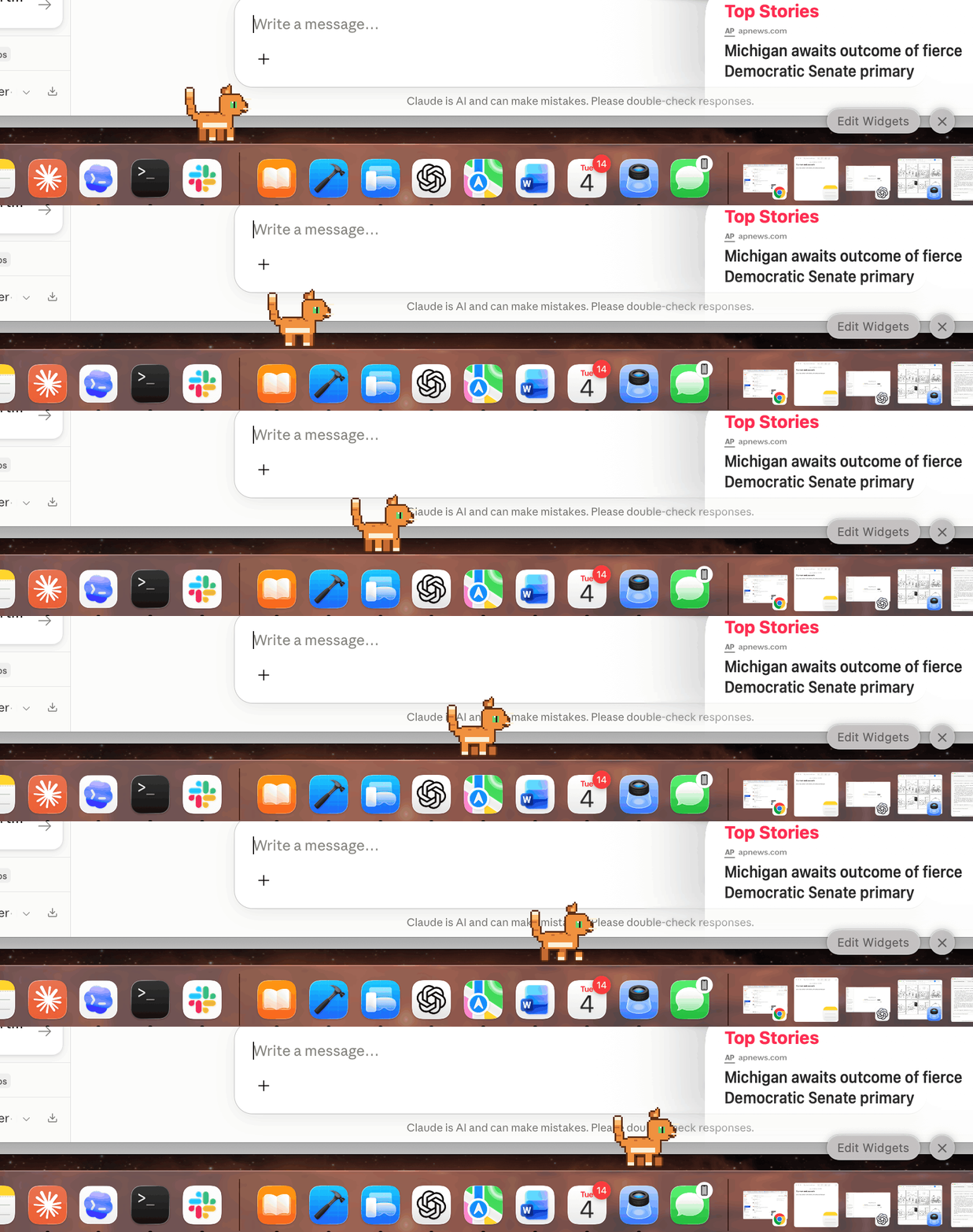
That is a real screen recording. The cat is standing on the Dock.
Make your own, right here
Describe any creature and it gets drawn instantly. This is running in your browser right now, so have a play with it.
Paste that into Terminal after installing (below) and your pet appears on the Dock.
Ask for an animal or a person and it draws one on the spot. A purple dragon, a cat in a wizard hat, a taxi driver, a woman with an afro holding a mug. Colours, hats, outfits and something to hold all work, and if it cannot find a creature in what you typed it says so rather than quietly handing you something random.
All of it runs in this page. No account, nothing to pay for, and nothing you type here leaves your Mac. Once you like what you see, copy the command and paste it into Terminal after installing below.
Four are already included
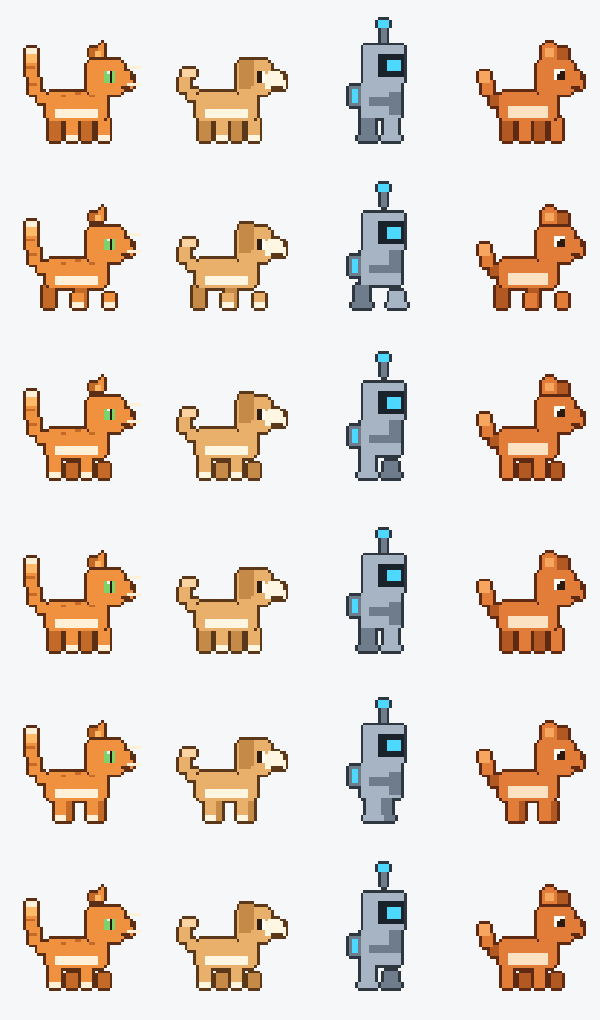
Mochi, Biscuit, Bolt and Ember. Swap between them from the menu bar whenever you like.
What it is actually for
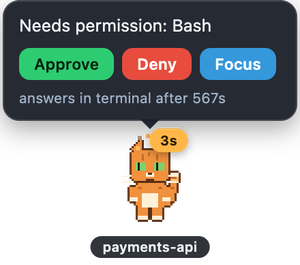
Answer your agent without switching windows
When Claude Code needs permission to do something, the pet asks you. Click Approve and it carries on. If you are already looking at your terminal, it stays quiet and lets you answer there instead.
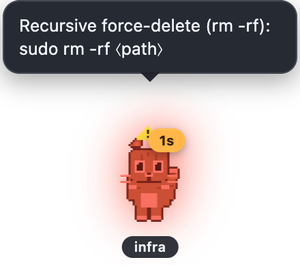
Shout when something looks dangerous
Deleting folders, force pushing, touching secrets. The pet turns red and shakes. It is deliberately fussy about not crying wolf, so everyday commands stay silent.
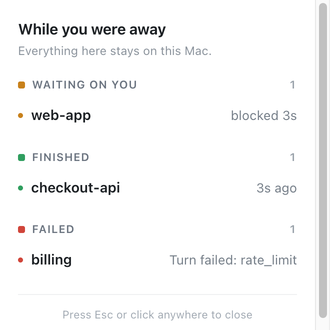
Tell you what you missed
Click the pet for a short summary: what finished, what is stuck and for how long, what failed. If you walk away it sends a normal Mac notification instead.
Getting it
Two steps. You need a Mac.
Install it
Open Terminal and paste this in. It downloads the project and starts your pet.
That is it
A cat appears on your Dock. Click the paw print in your menu bar to switch pets or quit. If you also use Claude Code, one more command connects them, and the README walks you through it.
pnpm is not installed, run
npm install -g pnpm. Everything else the project handles for you.